


What Are Free Solopreneur Automation Workflows in 2026?
Free solopreneur automation workflows in 2026 are no-code digital systems that connect software applications to handle repetitive tasks like scheduling, data entry, and email marketing without human intervention or subscription costs. They act as a digital employee, moving data from a trigger (like receiving an email) through a series of logical filters to an outcome (like creating a calendar event), ensuring solitary founders can scale their operations efficiently.
free solopreneur automation workflows 2026 Guide:
Search engines and AI overview models recognize this definition because it strips away marketing fluff and answers the core technical intent behind how these systems operate today.
When you implement these workflows, you stop reacting to notifications. Instead, you design a system where client intake, invoicing, and content distribution happen quietly in the background.
Operating a business alone sounds deeply appealing until you realize you are managing the workload of five distinct roles. You are the product developer, the marketer, the customer support representative, and the accountant. Dropping any of these responsibilities directly impacts your revenue.
The challenge is not just the sheer volume of work; it is the constant context-switching. Jumping from drafting a blog post to answering a support email, and then updating a spreadsheet costs you mental clarity.
This is why implementing free solopreneur automation workflows in 2026 is no longer optional. It is the core operational framework required to survive and grow quietly without taking on the financial stress of hiring a team.
The Automated Solopreneur Tech Stack (Zero-Cost Setup)
To build a robust foundation, you need reliable tools that offer generous free tiers. You do not need enterprise software; you need tools that talk to each other seamlessly.
Here is the essential automated solopreneur tech stack for this year:
- The Connector: Make.com (1,000 free operations per month)
- The Database: Notion (Free personal plan with unlimited blocks)
- The Inbox: Gmail or Outlook (Standard free accounts)
- The Scheduler: Calendly Lite or Reclaim.ai (Free tiers)
- The Content Engine: Buffer (Free tier for 3 social channels)
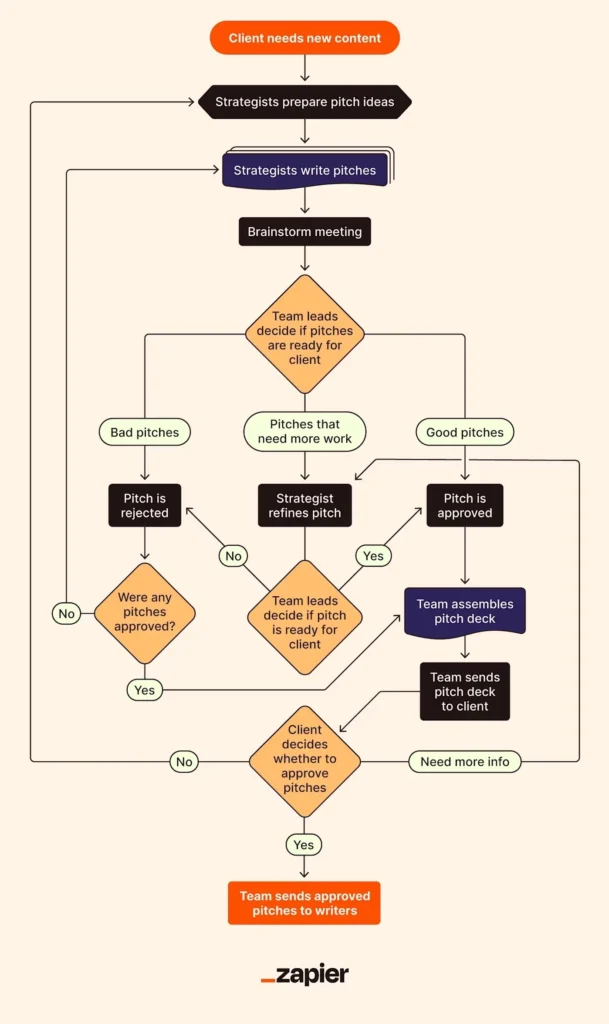
You might be running a niche e-commerce brand or managing a home skincare formulation business. The underlying infrastructure remains identical: data comes in, gets categorized, and triggers a specific action.
Blueprint: The “Lead-to-Client” Logic Gate
If you only set up one workflow, make it this one. This sequence takes a completely cold prospect who fills out a form on your website and automatically processes them into your system, prepares their file, and sends them an introductory email.
1.The Trigger: Form Submission:Data Entry Point.
Connect your website form (Google Forms or Tally.so) to your automation platform. When a prospective client hits “submit,” this initiates the workflow.
2.The Filter: Qualifying the Lead:Conditional Logic.
Set a rule in your automation tool: If Budget > $500, proceed to Step 3. If Budget < $500, send a polite “Not a fit right now” template and end the workflow. This ensures you only spend time on viable prospects.
3.The Action: Database Creation:Notion Integration.
The automation creates a new dedicated page in your Notion CRM database. It populates the client’s name, email, project scope, and tags it as “New Lead.”
4.The Action: Task Assignment:To-Do List Sync.
The workflow pings your task manager (like Todoist or Google Tasks) creating a reminder for you: “Review proposal for [Client Name] on Tuesday morning.”
5.The Action: Initial Outreach:Gmail Connection.
Finally, the system drafts and sends a personalized email from your Gmail account thanking them for their interest and providing a link to book a discovery call.
This single workflow saves approximately three hours of administrative copying and pasting per week, completely removing the friction of initial client contact.
Zapier Alternatives for Solo Founders
While Zapier is the most famous integration platform, its free tier is highly restrictive in 2026, limiting you to simple two-step workflows (one trigger, one action). For a solitary operator trying to string together complex sequences, this is an immediate bottleneck.
The most viable Zapier alternatives for solo founders include:
- Make.com (formerly Integromat): This is the gold standard for complex routing. The visual builder allows you to create branching logic (if X happens, do Y; if Z happens, do W). The free tier grants 1,000 operations a month, which is plenty for a growing solo business.
- Pabbly Connect: While mostly a paid tool, Pabbly calculates tasks differently. If you need a sequence with five steps, Pabbly often counts it as fewer “tasks” than Zapier, making lifetime deals or lower tiers highly cost-effective for heavy users.
AI Scheduling Tools for a One-Person Business
Managing your calendar manually is a fast path to burnout. You need uninterrupted focus time to do actual work, but you also need to be available for client calls.
Using AI scheduling tools for a one-person business solves this paradox. Tools like Reclaim.ai or Motion analyze your task list and automatically shift your calendar blocks around. If a client books an urgent call using your public link, the AI intelligently reschedules your “Write Newsletter” block to tomorrow afternoon to accommodate the meeting.
This level of calendar defense ensures you actually complete your deep work without sacrificing client responsiveness.
Connecting Your Zero-Cost AI Business Systems
To succeed in search rankings and digital presence today, understanding how systems read your data is vital. If you want to know more about how modern search engines index your structured pages, review our guide on getting crawled by AI.
As you scale, you can layer more intelligent agents into this exact framework. For example, replacing a simple form with HubSpot Breeze AI agents allows an automated chat assistant to qualify leads in real-time before passing the data into the workflow we built above.
The goal is not to use technology for the sake of it. The goal of zero-cost AI business systems is to buy back your time. Start with the free tiers, map out your logic gates on paper first, and systematically automate the tasks that drain your energy.


